


As it seen nowadays people
are becoming androphillic(android lover). Now every 1 out of 3 people having
smartphones is of Android. Now smartphones are not merely for doing a phone
call or receiving message its much more than that.
So what do you use to access the
internet on them. Is it the default browser.If you also use the default
browsers, then it's also OK. But don’t you want to enhance your
experience.
If your answer is yes. Then this
post is right for you on which i have tested many browsers according to their
performance and speed.
1. Dolphin Browser


It is one of the best and
fastest browsers available for the Android. Almost 10000K times it is
downloaded from Google play store.
Features
- Default and custom gestures to open up stuffs like Gmail.
- It has lots of add-on's available for it..
- The Sonar feature which enables you to search, bookmark, or share content, and even navigation using your voice.
- Tabbed browsing is one of the must features available.
Current Available Version: 9.0.1
You can Install it from Here
Average site load speed: 8.36 seconds
2. Google Chrome
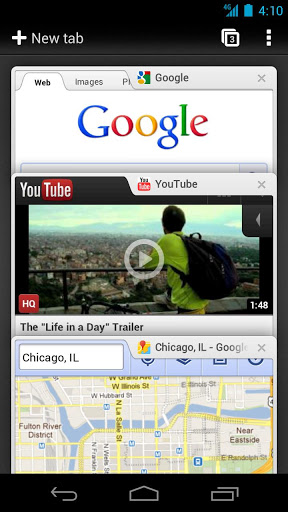


Chrome is no doubt the most used
browser for PC’s as of now.\
Features
- Here are some of its features:
- Incognito Mode browsing
- Chrome Sync
- Bookmark Sync
- Tab syncing
- Its fast
- Clean and Minimalistic appearance
Current Available Version:
Varies with the device
You can Install it from Here
Average site load speed: 6.9 seconds
3. Firefox
I think everybody knows Firefox for
desktop and knows its performance.
But it will give you the same experience as it gives in your Desktop.


Features
- It has available add-on's and Personas.
- Firefox Sync
- First Browser having Do Not Track
- It almost features have all features of Desktop Version
- Tabbed browsing, the must feature.
Current Available Version:
16.0.2
You can Install it from Here
Average site load speed: 10.1 seconds
4. Opera
If you're a fan of Opera on the desktop, than Opera
Mobile will be best for you for your mobile.


Features
- Speed Dials feature.
- Sync Bookmarks and Speed dials
- Best for slower and Limited Data Plans
- Fast web surfing.
- Tabbed browsing, the must feature.
Current Available Version:Varies with Device
You can Install it from Here
Average site load speed: 8.13 seconds
5. Skyfire
If you are very much addicted to the social networking site than this Browser is definitely for you.


Features
- Facebook Quick View & Like button
- Fireplace Feed Reader
- Twitter Integration
- Fast web surfing.
- Skyfire One Touch Search
- Tabbed browsing, the must feature.
- Sports,News & Finance Buttons
- Flash Video
- User Agent Switching
Current Available Version:4.1.0
You can Install it from Here
Average site load speed: 7.60 seconds
Conclusion: According to me the Best browser is Dolphin Browser which also comes in HD version for greater user experience. I have rate the Dolphin browser according to its features, speed, performance,memory usage, battery usage,features. I hope it will be easy for you to choose the correct Browser.
Author-Shubham Kedia


